Like The Word On Facebook
About

Audio By Carbonatix
Find The Word Cleveland on your favorite social media platforms!
Facebook: facebook.com/TheWordCLE
Twitter: @TheWordCLE
You may have noticed some of your favorite The Word Cleveland content has been appearing less and less on your Facebook Feed. We won't get into the technical side of it, but here are a few easy steps to see our content more often!
From Your Computer
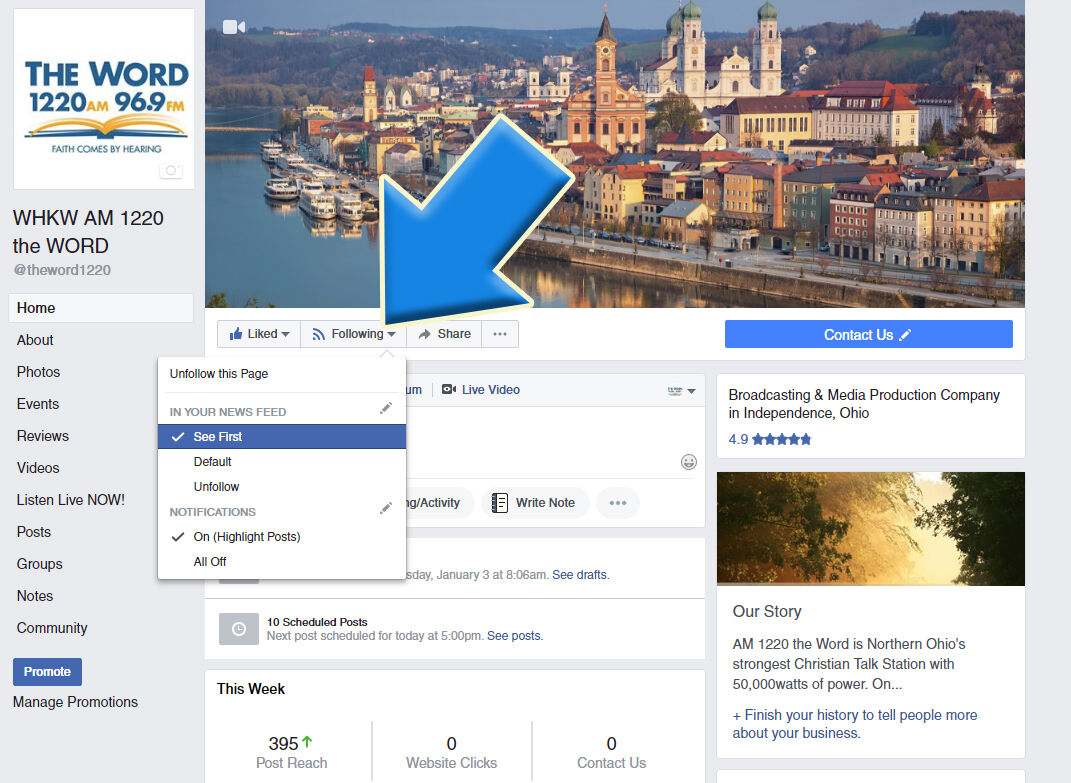
1. Go to facebook.com/TheWordCLE
2. Mouse over the Following button
3. Select the See First option
From your Mobile Device
If you'd like to see more of your favorite Fish content in your Facebook feed, here are 5 easy steps to do so on your mobile device.
If you haven't already, you'll need to Like The Word Cleveland on Facebook.
1. OPEN the Facebook app on your mobile device.
2. TAP on the three lines to get to your settings
(iPhone users, you can find this on the bottom right; Android users it'll be at the top right)

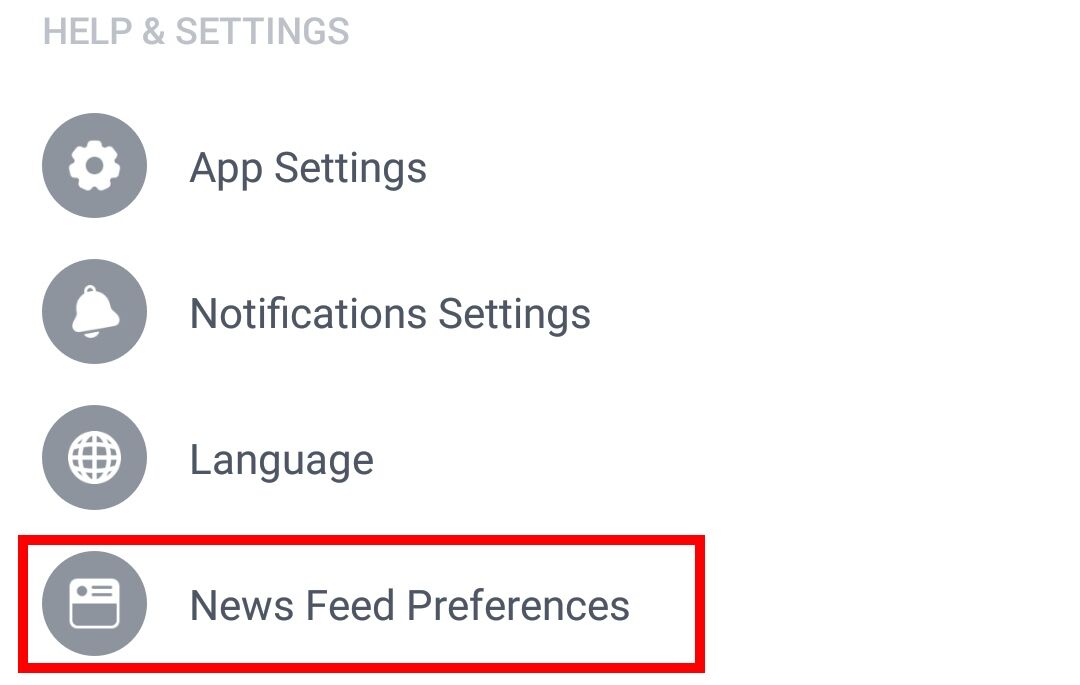
3. SCROLL down and TAP News Feed Preferences from the menu.
4. TAP Prioritize who to see first
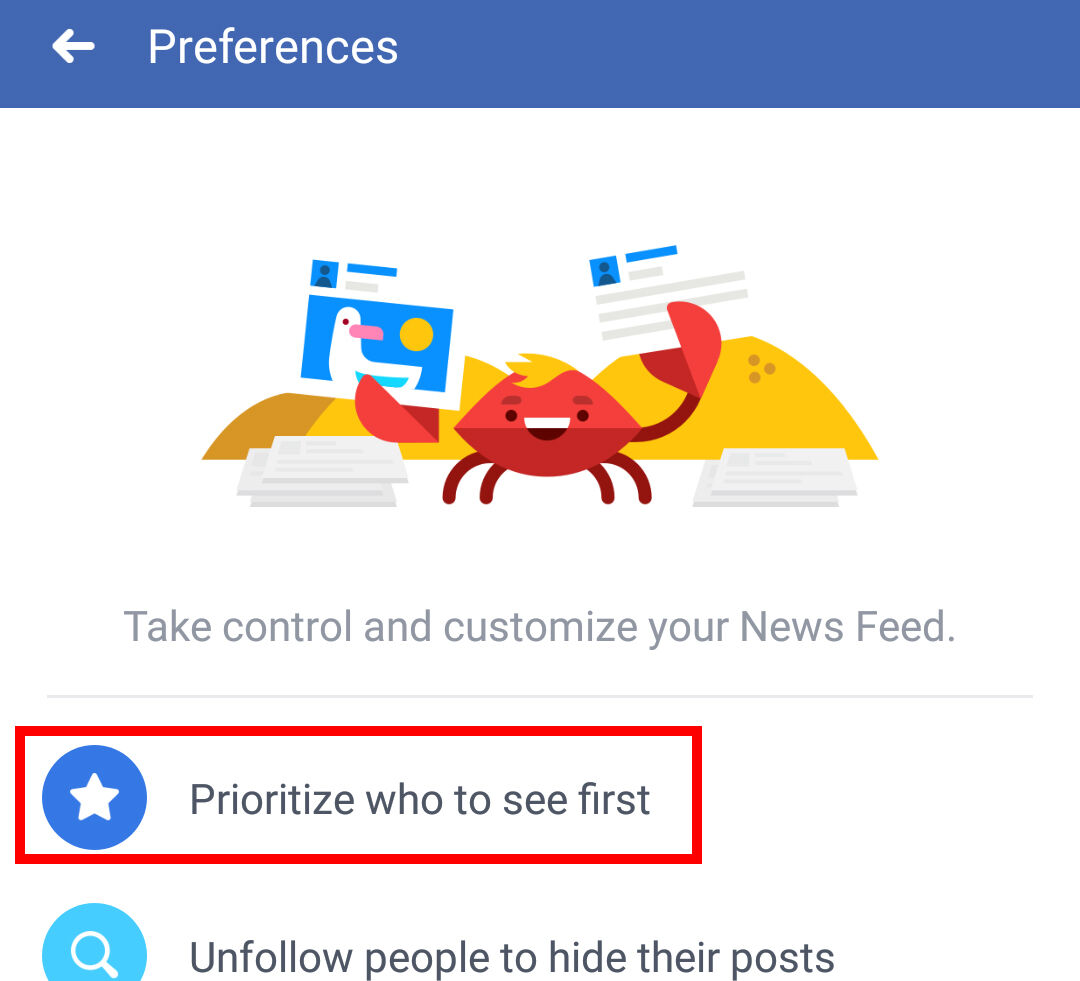
On the screen, you will see all of your friends along with the pages you like (including The Word Cleveland)
5. SCROLL through and find THE WORD CLEVELAND and TAP it (along with any other pages you'd like to see more frequently in your feed)
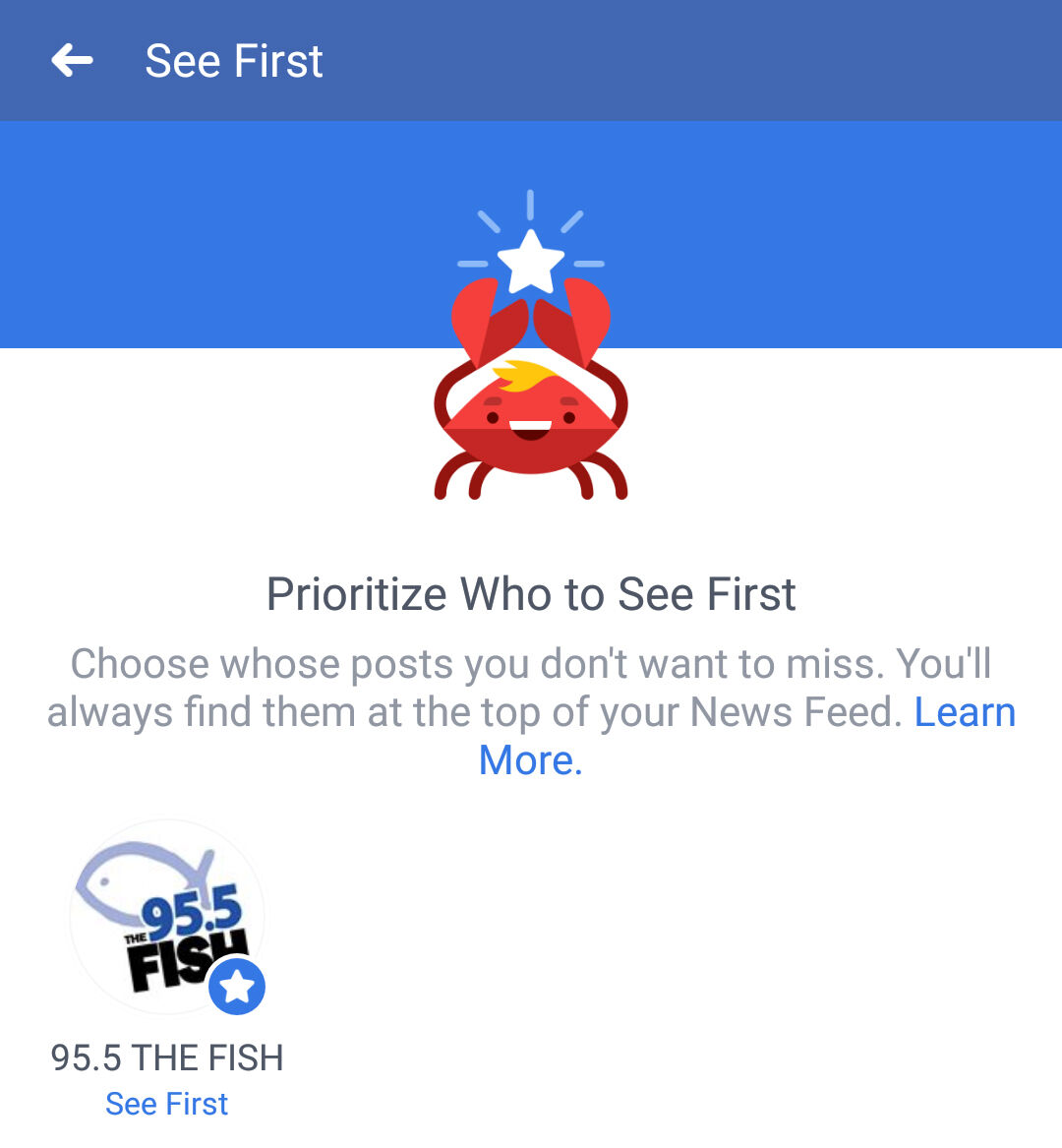
That's it! You're done! You will now see more of your favorite content from The Word Cleveland!
If you don't have the Facebook app, you can find it here:
Download Facebook for Android HERE
Download Facebook for iPhone HERE


